Sims 4 Kids CC Finds | Tween Clothes, Hair & More
Looking for fresh Sims 4 kids CC finds for your child and tween Sims? 💗 This roundup brings together four direct-download custom content releases covering fashion, hair, footwear, and additional CAS pieces that can help give younger Sims more personality in Create-A-Sim.
Kids and tweens can sometimes end up wearing the same few outfits and hairstyles across every household, especially if you play long family saves. Adding a few new creator releases makes it much easier to give siblings, cousins, and friends their own style instead of recycling the same CAS combinations.
This collection includes the Lucie Lou 2010s Tween Set, Simlocker TU Jordan VIII, CeceSimsXO Myra Hair, and SIIKGLOBAL FaithStars. Each file is hosted directly on Sims4Kids as its own ZIP download, so you can grab only the pieces you want instead of downloading one large mixed folder.
The 2010s Tween Set is especially useful if you’re building a more realistic tween wardrobe, while Myra Hair gives you another hairstyle option for younger Sims. The Jordan VIII release adds another fashion-focused download, and FaithStars gives you one more creator set to mix into your CAS collection.
If you’re building a larger wardrobe, browse more Sims 4 tween CC on Sims4Kids or check child clothing CC for more outfits.
For hairstyles, you can also browse child hair CC on Sims4Kids. More general CAS finds are available through Sims4CCFinds and GamingWithPrincess.
The count of four refers to the four separate creator downloads featured below. Some ZIP files may contain multiple packages or coordinating pieces, so I am not assigning an exact individual-item count without seeing the contents of each archive.
💗 1. Lucie Lou – 2010s Tween Set
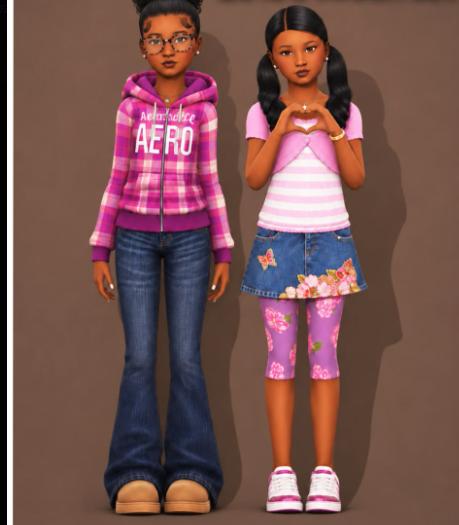
The first download is the Lucie Lou 2010s Tween Set, a fashion-focused release for younger Sims.
A dedicated tween set is useful when you want child Sims to look a little older without dressing them exactly like adult Sims. You can mix the pieces with other child hairstyles, shoes, and accessories already in your game.
👟 2. Simlocker TU Jordan VIII
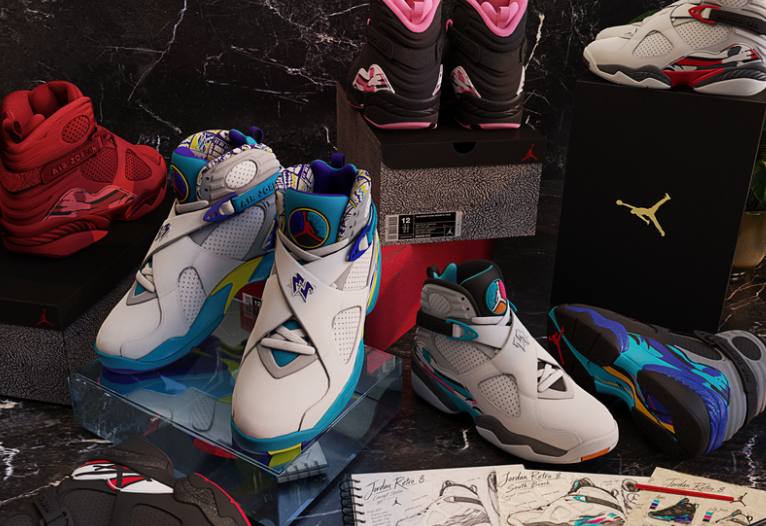
Next is Simlocker TU Jordan VIII.
This gives your younger Sims another fashion option to pair with casual outfits, streetwear looks, and the tween clothing in this roundup.
✨ 3. CeceSimsXO – Myra Hair
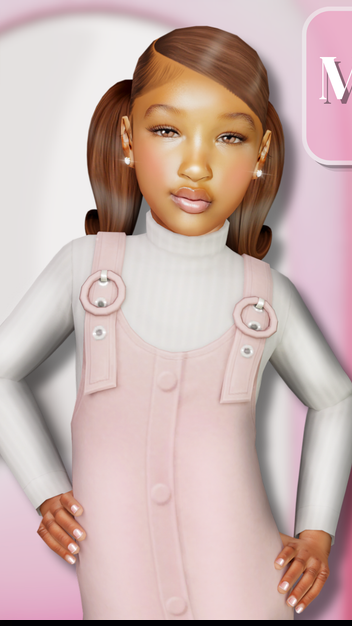
The hairstyle in this roundup is Myra Hair by CeceSimsXO.
Adding more child hairstyles is one of the easiest ways to make siblings and younger Sims look less repetitive, especially in large family or legacy saves.
You can pair Myra Hair with the tween clothing above or mix it with other outfits already installed in your Mods folder.
For more hairstyles, browse Sims 4 kids hair CC.
⭐ 4. SIIKGLOBAL FaithStars
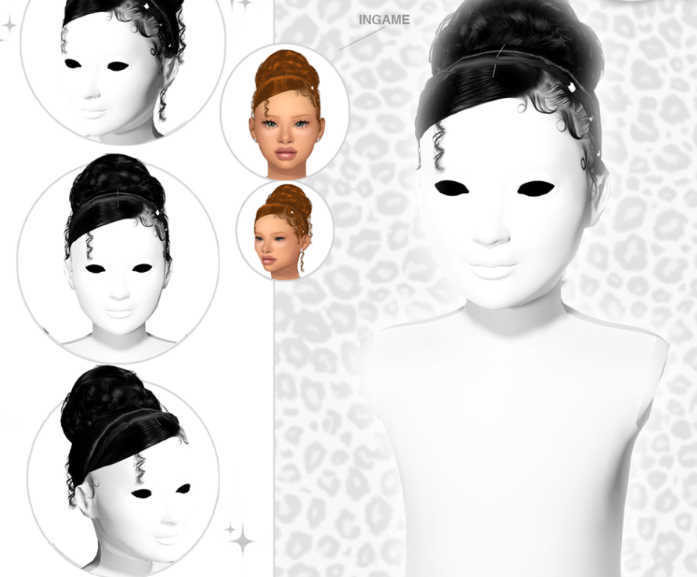
Finishing the roundup is SIIKGLOBAL FaithStars.
The supplied ZIP confirms the release name, but it does not provide a complete item list, so I am keeping the description general rather than guessing at exact contents or package counts.
📦 What’s Included in This Kids CC Roundup?
This post features 4 direct Sims4Kids downloads:
1. Lucie Lou – 2010s Tween Set
2. Simlocker TU Jordan VIII
3. CeceSimsXO – Myra Hair
4. SIIKGLOBAL FaithStars
Some releases may include multiple package files, so the number four refers to the four downloadable creator releases rather than the total number of CC pieces inside all four ZIP files.
💕 Build a Complete Tween CAS Look
One easy way to use these finds is to start with pieces from the Lucie Lou 2010s Tween Set, add the Jordan VIII release, and finish the Sim with Myra Hair.
You can then mix in accessories and other CAS pieces from your existing collection to give each child or tween a completely different look.
For more outfit inspiration, browse tween clothing CC or kids shoes CC.
📁 How to Organize These Downloads
Since these are separate creator downloads, keeping them organized by creator can make your Mods folder easier to manage.
For example:
Mods → Sims4Kids → Lucie Lou
Mods → Sims4Kids → Simlocker
Mods → Sims4Kids → CeceSimsXO
Mods → Sims4Kids → SIIKGLOBAL
Keep the original filenames intact so individual packages are easier to identify later.
How to Install Sims 4 Kids CC
Click the pink download button for the custom content you want.
Each supplied download is a ZIP file. Extract it first, then move the included .package files into:
Documents → Electronic Arts → The Sims 4 → Mods
Launch The Sims 4 and go to Game Options → Other. Turn on Enable Custom Content and Mods, apply your changes, and restart your game.
⚠️ Kids CC Reminder
If you already have a large child or tween CC collection, check for duplicate package files before installing everything.
If an item does not appear correctly in CAS, keep the ZIP until you confirm whether the release contains any additional coordinating files.
💖 You May Also Like
✨ Keep Browsing
Infant CC |
Toddler CC |
Child CC |
GamingWithPrincess Kids CC